Enso · a free help centre theme for Zendesk®
Change settings, not themes.
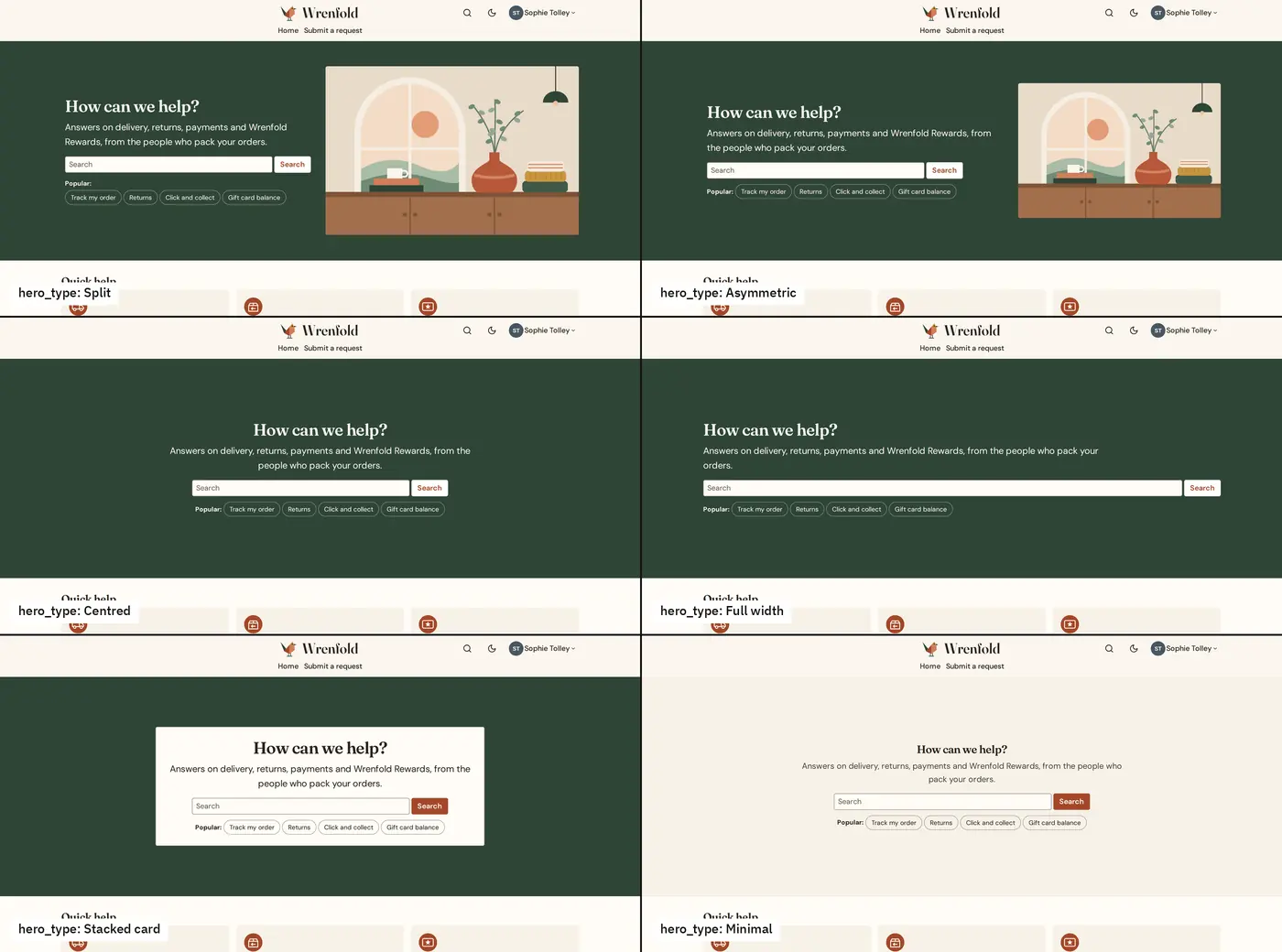
Enso is a Zendesk help centre theme with 197 settings. A rebrand, a new layout or dark mode is a change in the theme editor, not a developer ticket.
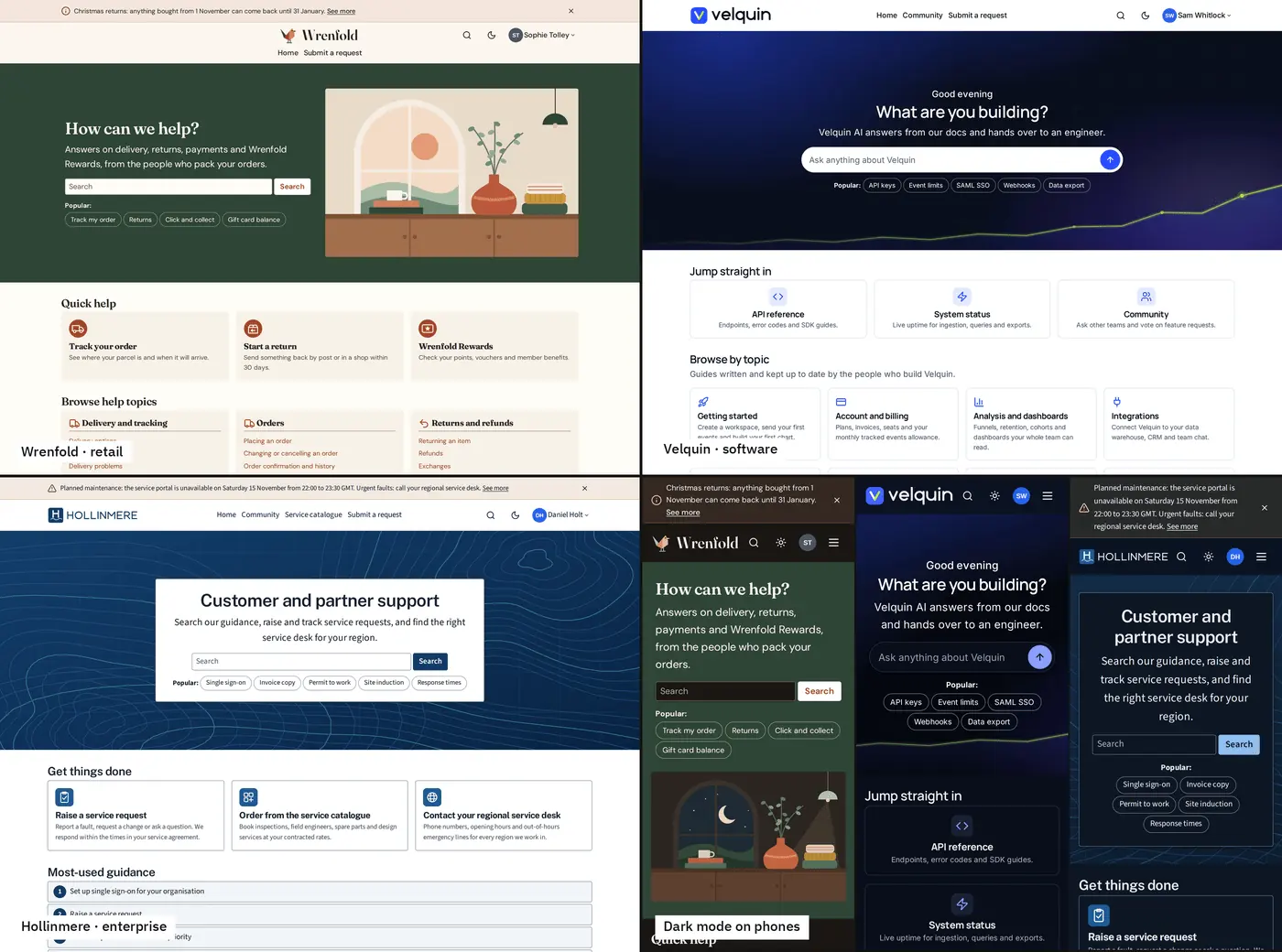
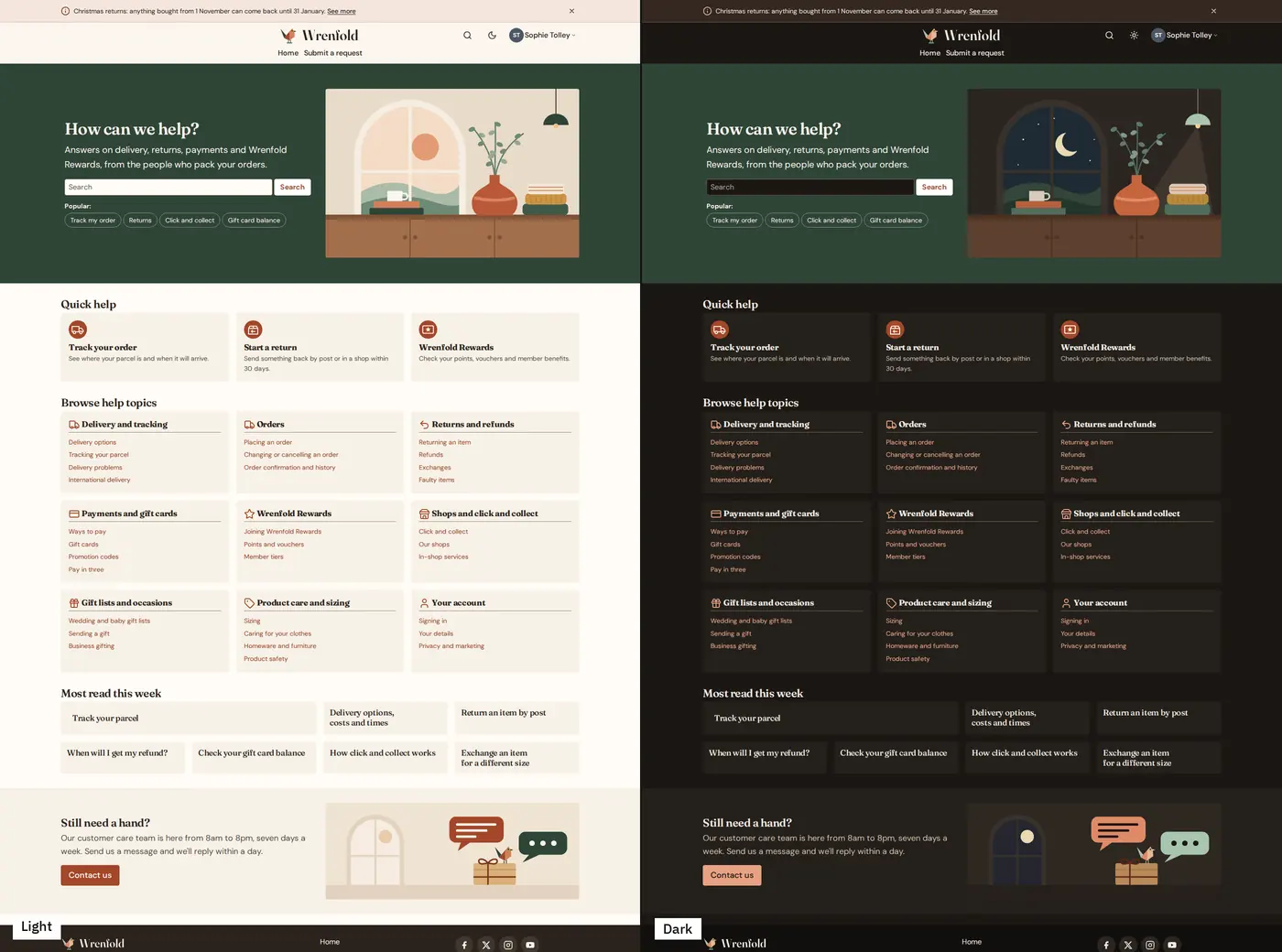
Three fictional brands on the same Enso code, each set up through settings.
Enso in numbers
- 197
- settings in 29 groups
- 6
- hero layouts, with 3 headers, 4 card styles and 4 footers
- 15
- colours in each of the separate light and dark palettes
- 25
- help centre templates, on Templating API v4
Version 1.12.0, released 12 November 2026
Three brands, one theme
Wrenfold, Velquin and Hollinmere are fictional brands on the same Enso code. Their colours, fonts, logos, hero, cards and footer differ because their setting values differ. Every setting has a working default, so you change only what your brand needs.
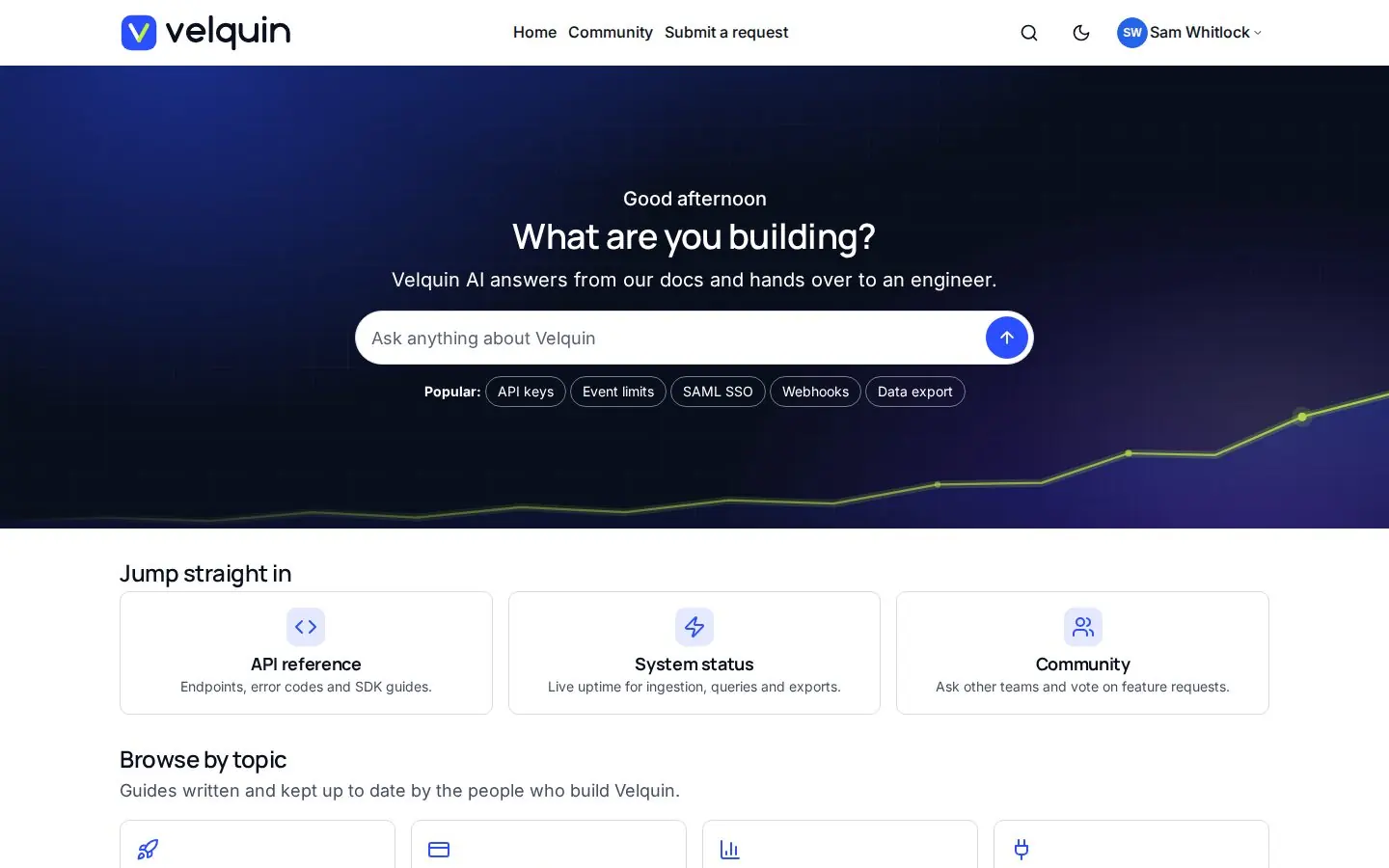
Answers from your AI agent, in the help centre
Chat and hybrid modes put your Zendesk AI agent on the help centre. The home search becomes an "Ask anything" composer. In hybrid mode the first answer opens under the composer, and the rest of the home page stays below it. Both modes are off by default. They need the messaging Web Widget in the help centre, a Zendesk AI agent, Zendesk Quick answers and the account-wide "multiple conversations" setting, which cannot be turned off again. If Messenger cannot start a conversation, the composer runs a normal search. The theme cannot check for the AI agent or Quick answers, so set those up first.
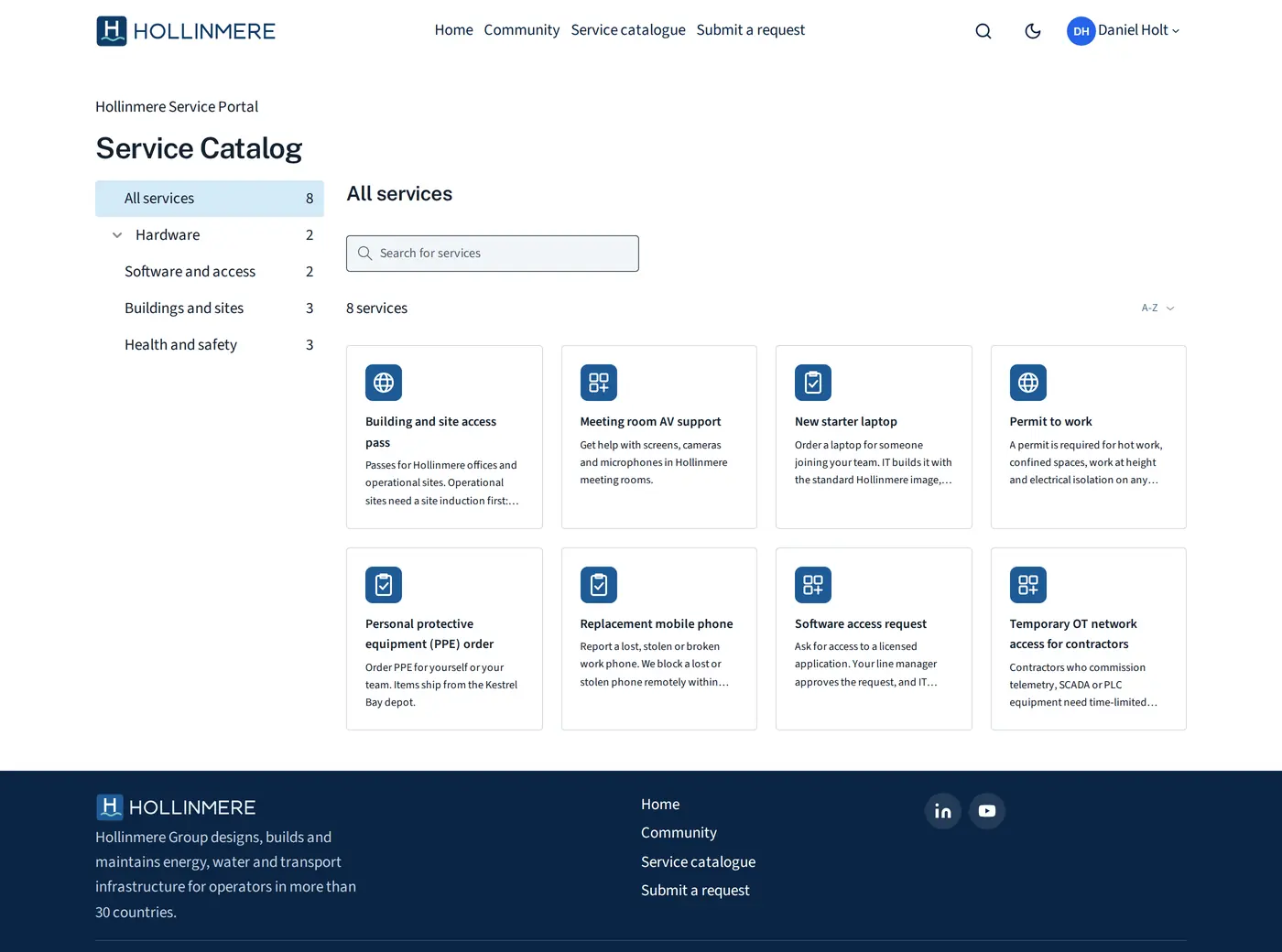
Employee service in the same help centre
Enso mounts the Zendesk service catalogue, approvals, request form and "My requests" modules unmodified, in your colours, light and dark. Since v1.11.0, "My requests" has tabs, search, filters, custom ticket statuses and requests across brands. The catalogue and approvals are tested against recorded API responses. They are not yet tested on a live account with approvals or a populated catalogue, and they need a Zendesk plan that includes them.
Light and dark, for every brand
Visitors switch with a toggle, or Enso follows their device setting. Light and dark each have their own palette of 15 colours, with a separate dark logo and images. The Zendesk request form and service catalogue are restyled for dark too. In a multi-brand account, each brand's help centre keeps its own palettes.
Article tools without code
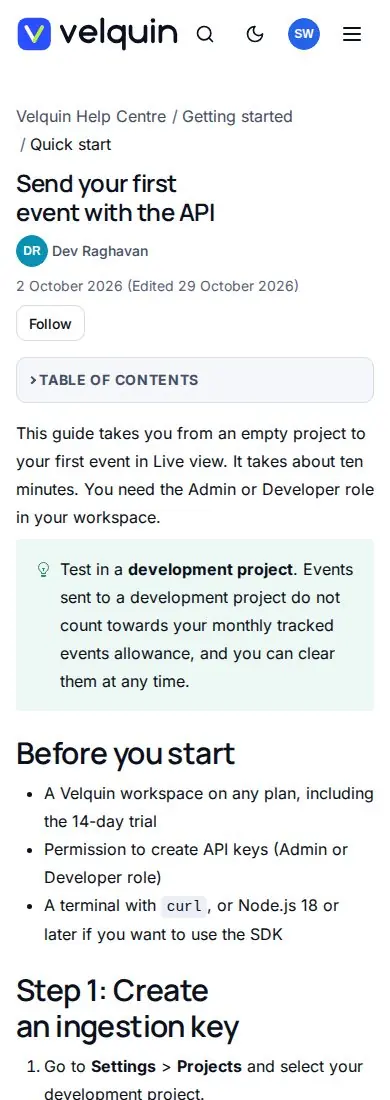
Enso builds a table of contents from each article's H2 and H3 headings. On a phone it sits, collapsed, above the article. Code blocks can get a copy button, line numbers or both. With votes on, a reader who marks an article as not helpful gets a link to the request form under the vote. The sidebar goes left, right or under the article, or is hidden.
Theme text in other languages
Enso's own interface text comes in 24 languages plus English, through Zendesk Dynamic Content. It is off by default. Before you turn it on, your Zendesk account needs the Dynamic Content items, with a variant for each language. The translations are machine-made, so review them before launch. Since v1.12.0, each heading, button, banner and footer text setting can also name your own Dynamic Content item, so each brand shows its own words in every language. That is off by default too, and you create the items. Zendesk translates its own system text and page modules. The Velquin demo help centre shows the whole page, its own text included, in German and Japanese.
No tracking by Kanso
Enso sends no data to Kanso. Your GA4 or Google Tag Manager loads only when you enter your own ID, and only after consent while the cookie banner is on. Enso ships a Content Security Policy. Hosts for your own scripts or fonts go in one setting, "Extra allowed hosts".
Accessibility, and your colours
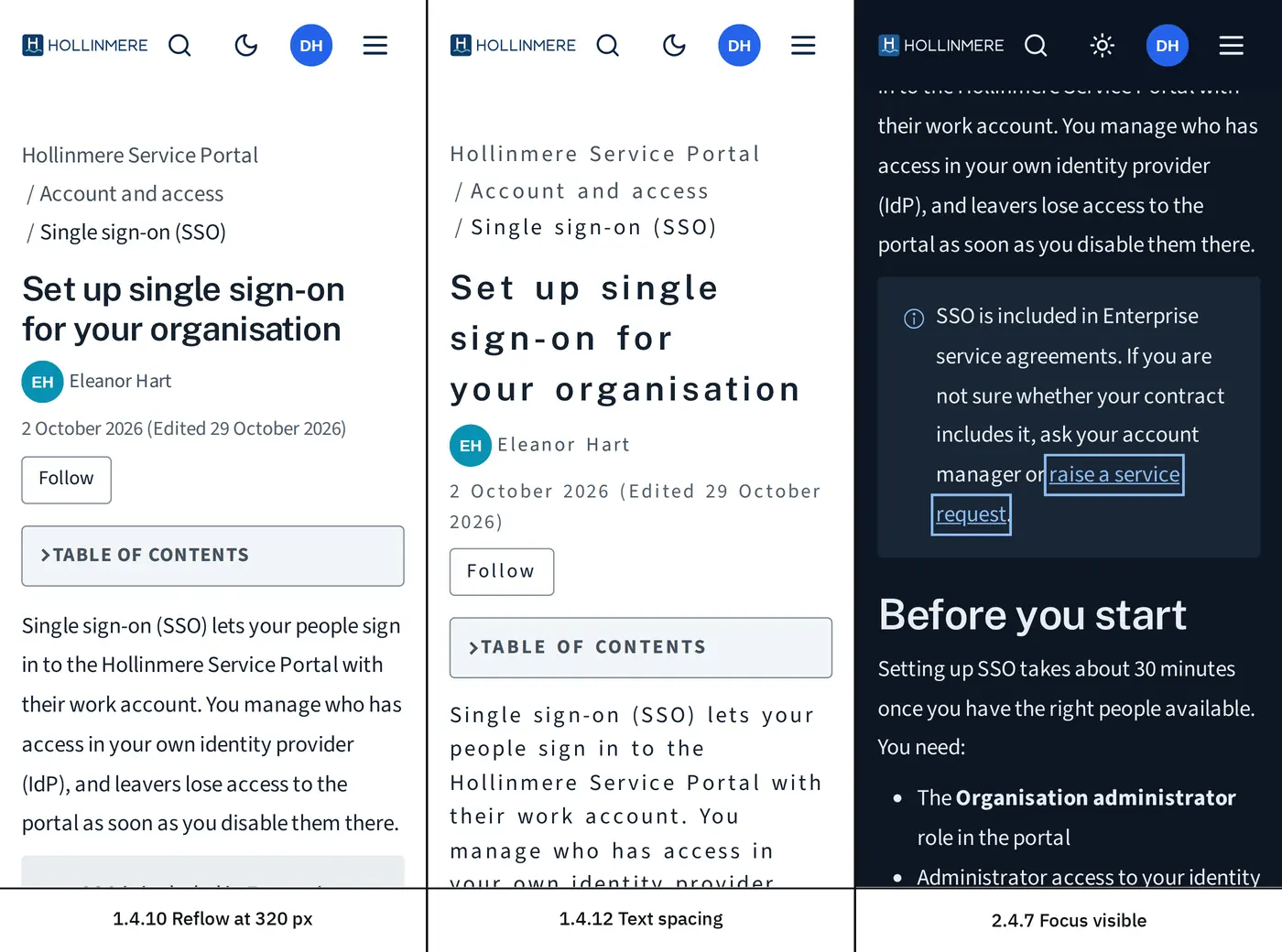
With its default colours, Enso is tested with axe-core against the WCAG 2.2 A and AA rules. Every release runs 24 build guards, 195 unit tests, 50 visual baselines and 2,137 page loads at 8 screen widths, in light and dark mode. Your colours can lower contrast, so a check in the theme editor preview names any of 15 key colour pairs that falls below AA, with the settings to change. The accessibility notes list the method and the known issues in Zendesk module markup.
Updates and limits
Built to be the last help centre theme you need
01
A rebrand is a settings change
Colours, fonts, logos, layouts and dark mode are settings. The three showcase brands run the same code. Theme text in other languages also needs Dynamic Content items in your Zendesk account.
02
Recent Zendesk features are in the templates
Zendesk Quick answers, the service catalogue, approvals, "My requests" and AI agent chat work without code changes. The page modules are the Zendesk Copenhagen v4.54.0 modules, unmodified. AI agent chat needs the account prerequisites below, and the catalogue and approvals are not yet tested on a live account.
03
Updates come through the Marketplace
Zendesk shows "Update available" on the Themes page, and an admin installs it. A standard licence cannot edit code, so no customisation blocks an update. Each release starts with a check for newer Zendesk page modules.
04
The limits are public
Every limit and prerequisite is listed below. When Zendesk ships a native feature that replaces part of Enso, Kanso says so and gives a migration path.
Limits and prerequisites
- Zendesk allows 200 settings per theme. Enso uses 197, so a new feature can replace an existing setting.
- Conversational mode (chat or hybrid) is off by default. It needs the messaging Web Widget in the help centre, a Zendesk AI agent, Zendesk Quick answers and the "multiple conversations" setting, which is account-wide and cannot be turned off again.
- Conversational mode uses parts of Zendesk Messenger that Zendesk does not document. If Zendesk changes them, the mode can stop working, and any fix comes as an Enso update.
- Zendesk draws Quick answers. If Zendesk changes their markup, they fall back to the Zendesk default styling until Kanso ships an update.
- Enso ships a Content Security Policy. Hosts for your own scripts or fonts go in the "Extra allowed hosts" setting; until you add them, the browser blocks them.
- Theme translations are off by default and need Dynamic Content items in your Zendesk account. They are machine-translated, so review them before launch.
- Your own text, translated (since v1.12.0), is off by default. You create one Dynamic Content item per text, with a unique prefix such as brand_hero_title. While it is on, the theme editor preview shows a "Could not find the placeholder" message for any of these settings that still holds plain text; visitors see the plain text. Item text may use bold and italic, not paragraphs, lists or links.
- The service catalogue and approvals are tested against recorded API responses. They are not yet tested on a live account with approvals or a populated catalogue.
- Your colours can lower contrast. The theme editor check covers 15 key colour pairs, not every colour on the page.
- Marketplace themes need Guide Professional or above (Zendesk shows this on every listing). Approvals and the service catalogue need a Zendesk plan that includes them.
- When Zendesk ships native, we say so: if a native Zendesk feature replaces part of Enso, we name it here and give a migration path.
- If Kanso retires Enso, you get at least 90 days' notice.
Questions buyers ask
- Will 197 settings swamp us?
- Every setting has a working default, so Enso works before you change anything. Start with the logo and dark logo, the fonts and the main colours for light and dark; the rest can wait. The three showcase brands were built from settings alone.
- What happens when Zendesk changes something?
- Enso uses the Zendesk Copenhagen page modules unmodified, and each release starts with a check for newer ones. Fixes reach you as a Marketplace update: Zendesk shows "Update available" and an admin installs it. If Zendesk changes the Quick answers markup, they fall back to the Zendesk default styling until that update. If Zendesk changes the Messenger parts that conversational mode uses, the mode can stop working, and any fix comes the same way.
- What does conversational mode need?
- Four things in your Zendesk account: the messaging Web Widget embedded in the help centre, a Zendesk AI agent, Zendesk Quick answers, and the "multiple conversations" setting. That setting is account-wide and cannot be turned off again. The mode is off by default. If Messenger cannot start a conversation, the composer runs a normal search. The theme cannot check for the AI agent or Quick answers, so set those up before you turn the mode on.
- What if our brand colours fail contrast?
- The theme editor preview runs a contrast check. It names any of 15 key colour pairs that falls below WCAG AA, in light or dark mode, and the settings to change. Visitors never see it. It does not check every colour: text on a hero image, for example, is yours to check.
- Who supports Enso?
- Kanso does. Free support is the settings guide and FAQ (being written) and bug reports to [email protected], answered on a best-effort basis with no set response time. Paid support adds configuration help, with the response time and price in your quote. Zendesk does not support Enso. If Kanso retires Enso, you get at least 90 days' notice.
- Enso has no reviews yet. What can we check?
- Enso is new, so there are no reviews or install counts to show. You can check the work instead. The showcase shows the layout options on three fictional brands, and demo help centres are coming. Every release runs 24 build guards, 195 unit tests, 50 visual baselines and 2,137 page loads at 8 screen widths, in light and dark mode. The changelog dates every release, and the accessibility notes list the known issues.
- Which Zendesk plan do we need?
- Enso is free. Marketplace themes need Guide Professional or above (Zendesk shows this on every listing). Approvals and the service catalogue need a Zendesk plan that includes them. Zendesk AI agents, Quick answers and messaging are Zendesk products, which Zendesk may charge for.
About Kanso
Kanso CX Ltd makes software and runs services for customer service, employee service and contact centre teams. Enso is free. Kanso is paid for services: Zendesk delivery, custom builds of Enso and paid support. We don't resell technology.
Free, with help when you need it
The theme is free under the Zendesk Marketplace standard licence. When you need changes beyond settings, or a faster answer, Kanso offers custom builds and paid support.
Install from the Zendesk Marketplace
Free, with a standard licence. Marketplace themes need Guide Professional or above (Zendesk shows this on every listing).
Marketplace listing coming soon
Try a demo help centre
Each demo help centre runs one fictional brand on Enso, set up through settings alone. Click through the pages before you install anything.
Open a demo help centreCustom builds
For changes beyond the 197 settings, Kanso builds a custom version at a fixed scope and price. A custom build stops getting Marketplace updates, so Kanso offers maintenance with it.
About custom buildsSupport
Free: the settings guide and FAQ (being written) and bug reports by email, answered on a best-effort basis. Paid: configuration help, with the response time and price in your quote.
Support optionsZendesk is a trademark of Zendesk, Inc. Kanso CX Ltd is an independent company, not part of Zendesk, Inc., and Zendesk does not provide or support Enso. Wrenfold, Velquin and Hollinmere are fictional brands made to show Enso; any resemblance to real companies is unintended.