Enso · a free help centre theme for Zendesk®
Employee service in the same help centre
The Zendesk service catalogue and "My requests" list run inside Enso, in your colours, light and dark. One theme covers your customer pages and your employee service.
Fictional brand: Hollinmere (enterprise)
Zendesk says the service catalogue needs Copenhagen or a theme that supports it, and Enso mounts the same Zendesk modules as Copenhagen v4.54.0, unmodified. The catalogue is tested against recorded API responses, not yet on a live account with a populated catalogue.
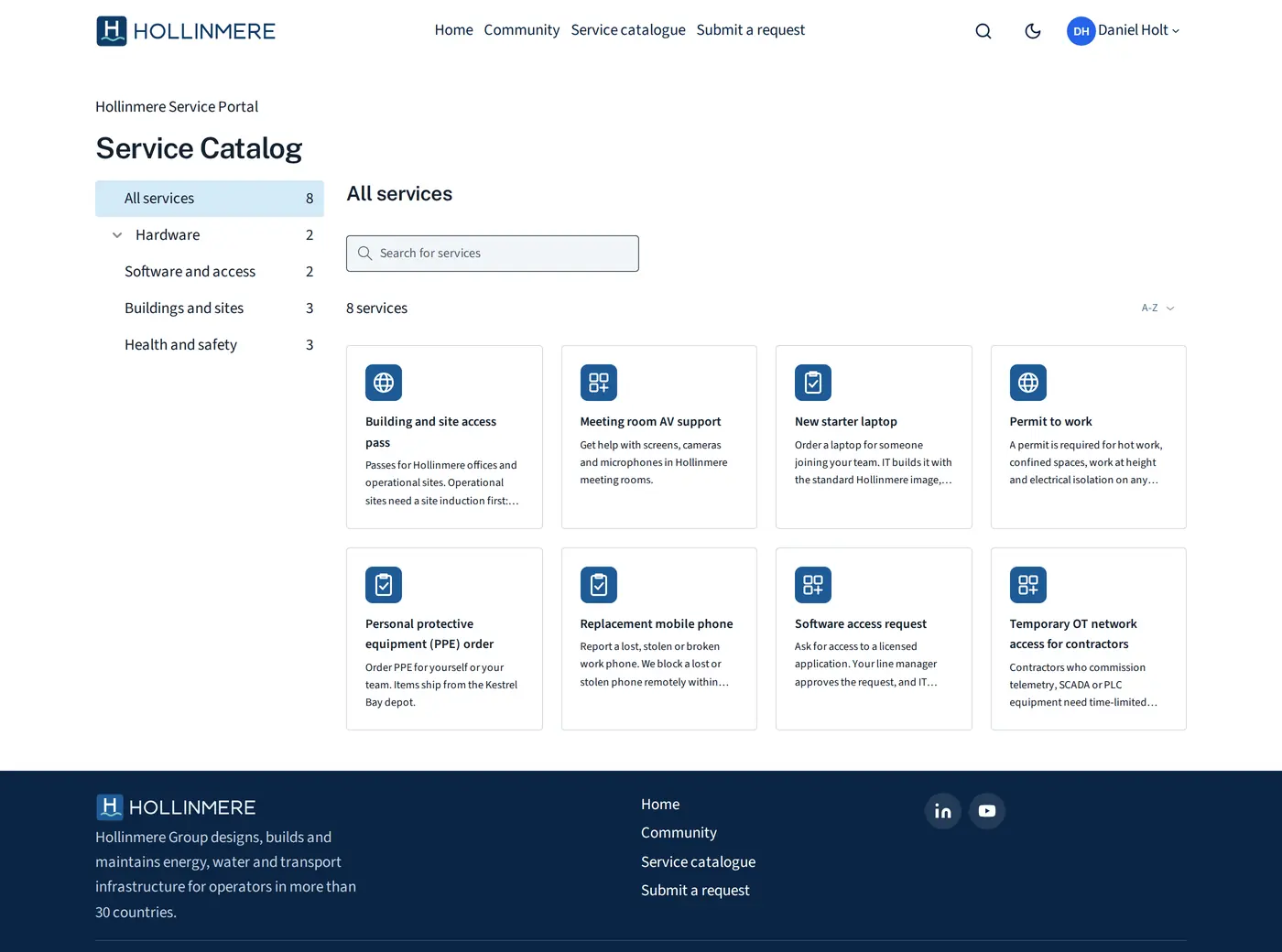
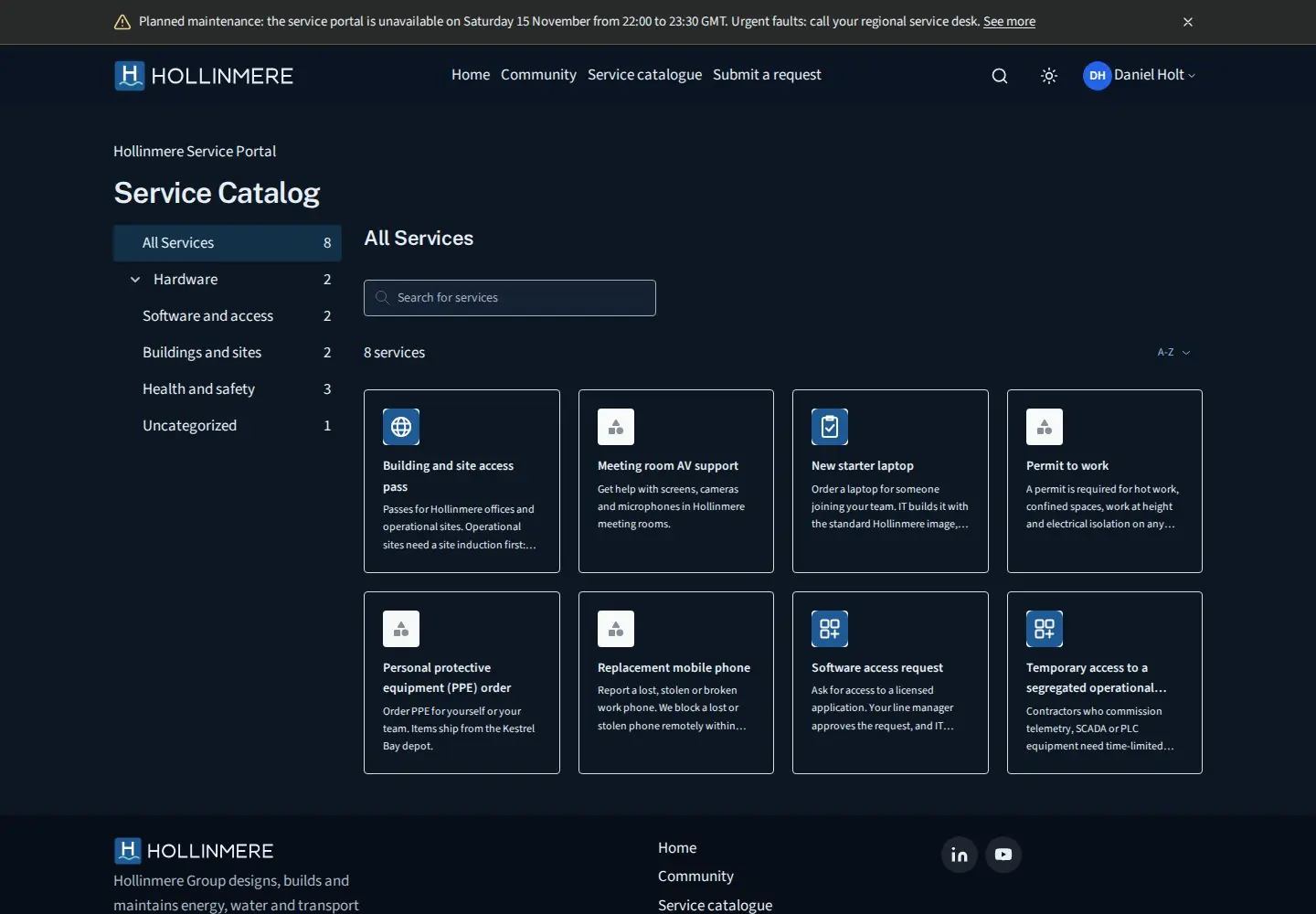
The service catalogue, in your colours
Employees browse services by category, search them and open the one they need. The Zendesk module draws the catalogue, and Enso maps your colours onto it. Turn on Show Service Catalog link to add it to the header.
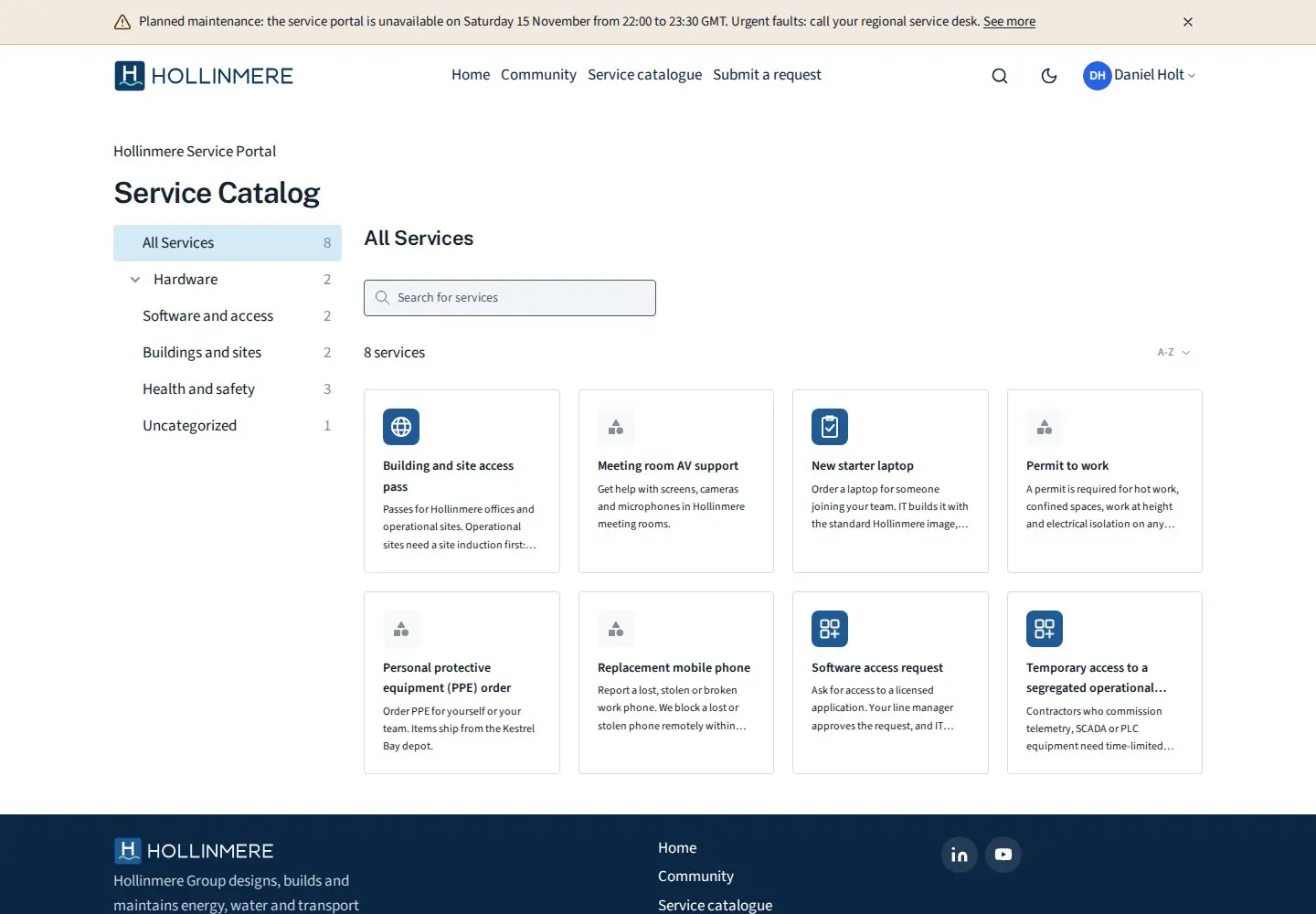
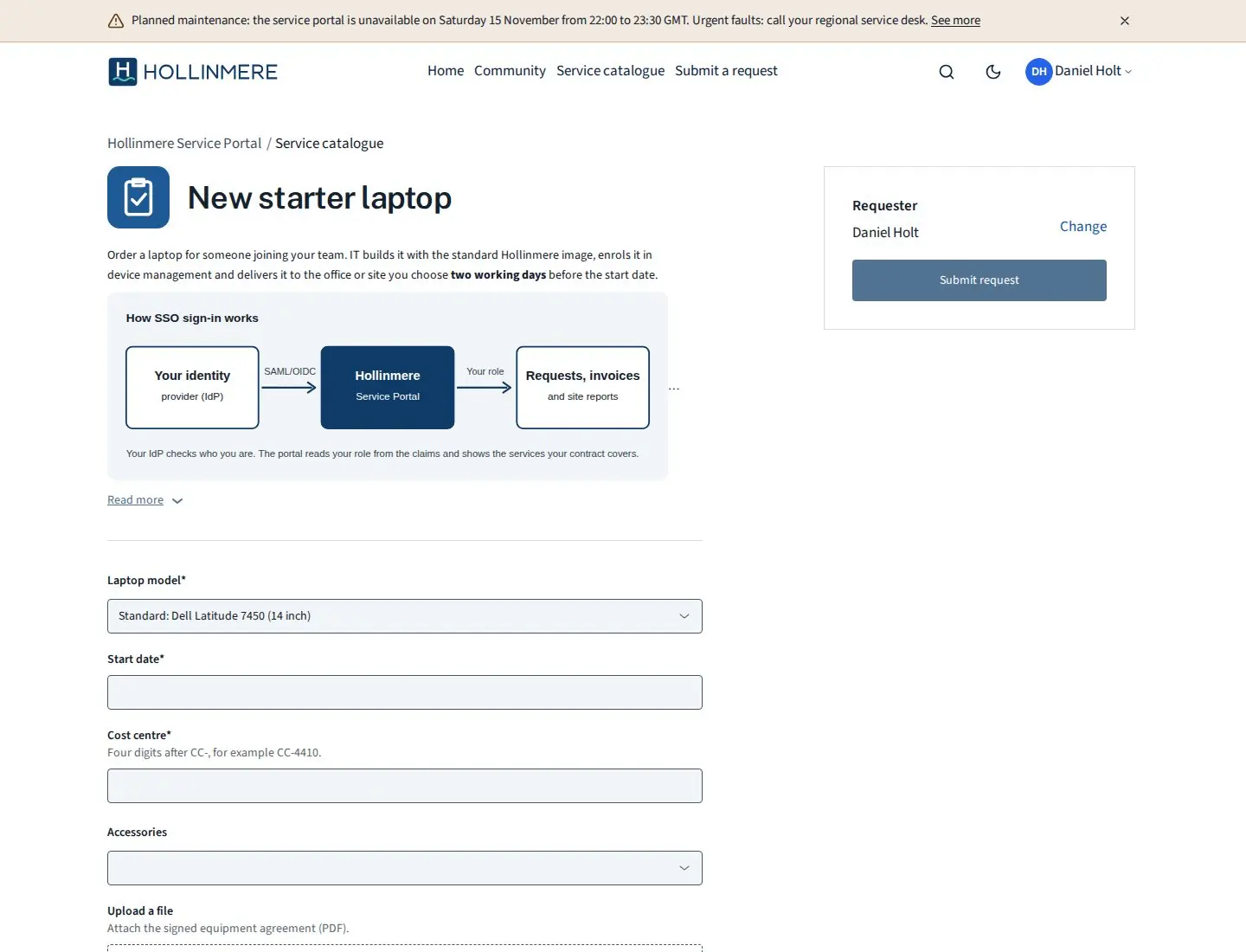
Each service opens its own request form
A service page shows its description and the ticket form linked to it, with the requester panel beside it. The fields, attachments and submit button come from the Zendesk module, in your colours.
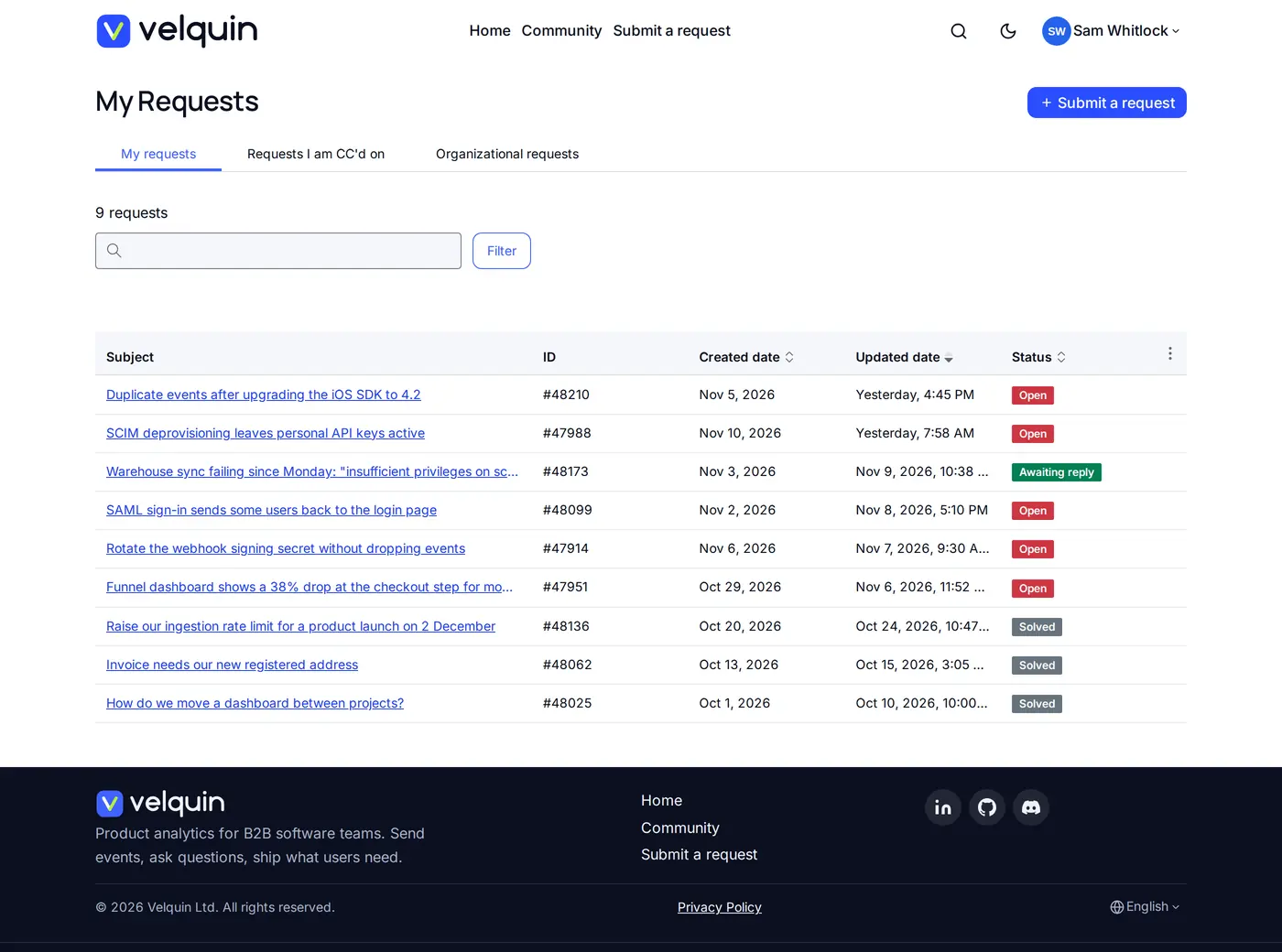
"My requests" from the Zendesk request list
Since v1.11.0, "My requests" uses the Zendesk request-list module, in your colours. Visitors get tabs for their own, CC'd and organisation requests, search, filters, custom ticket statuses and requests across brands.
Light and dark mode
The catalogue, service pages and "My requests" follow the visitor's light or dark choice and use your dark palette. Enso also restyles the grey text that the Zendesk components hard-code, so it takes your text colours.
One theme for customers and employees
Articles, community, request forms, the service catalogue, approvals and "My requests" all run on the same theme, so there is one set of settings to brand and one update to install.
- Run customer and employee service in the same help centre and brand, or give each brand its own Enso settings.
- Zendesk allows the service catalogue in one help centre per account.
- On Zendesk Employee Service plans, that help centre must be restricted to signed-in users. On Customer Service plans it can stay public, and visitors sign in to use the catalogue.
What your Zendesk account needs
- A Zendesk plan that includes the service catalogue.
- The service catalogue turned on in Knowledge admin, in one help centre per account.
- Published services, each linked to a ticket form.
- Signed-in users: visitors sign in to use the catalogue and "My requests".
- Guide Professional or above, as for every Marketplace theme (Zendesk shows this on every listing).
Limits
- The service catalogue is tested against recorded API responses. It has not yet been tested on a live account with a populated catalogue.
- The Zendesk modules draw the page content. Enso styles them, but cannot change their markup or their wording, so a page can show Zendesk text such as "Service Catalog".
- Only one help centre per account can have the service catalogue, so only one brand gets it.
- The Zendesk markup in the catalogue sidebar and "My requests" has accessibility findings that Enso cannot fix. The accessibility notes list them.
Questions buyers ask
- Does Enso support the Zendesk service catalogue?
- Yes. Zendesk says the catalogue needs Copenhagen or a theme that supports it. Enso mounts the same service catalogue module as Copenhagen v4.54.0, unmodified. It is tested against recorded API responses, not yet on a live account with a populated catalogue.
- What does "My requests" do since v1.11.0?
- It uses the Zendesk request-list module: tabs for the visitor's own, CC'd and organisation requests, search, filters, custom ticket statuses and requests across brands, in light and dark mode.
- Can every brand have a service catalogue?
- No. Zendesk allows the service catalogue in one help centre per account. Your other brands can still run Enso without it.
- Are there accessibility issues on these pages?
- Some, in Zendesk markup that Enso cannot change. In the catalogue sidebar, controls sit inside a role=button element, an aside has no label, and a second main landmark sits inside the page's main landmark. In "My requests", tabs repeat an id, and IBM Equal Access and Siteimprove Alfa flag the table structure and the sortable column-header buttons. Enso removes the tabs' broken aria-controls links itself.
- Do approvals and request forms work in the same help centre?
- Yes. Approvals, the new request form, the service catalogue and "My requests" are all Zendesk modules that Enso mounts, so they share your colours and your light and dark palettes. Approvals have their own page in this set.
See it in a demo help centre
The Hollinmere demo help centre shows this brand and its settings. The service catalogue is not set up on the demo yet, and "My requests" needs a signed-in user, so this page shows them as screenshots.
More Enso features
Free, with help when you need it
The theme is free under the Zendesk Marketplace standard licence. When you need changes beyond settings, or a faster answer, Kanso offers custom builds and paid support.
Install from the Zendesk Marketplace
Free, with a standard licence. Marketplace themes need Guide Professional or above (Zendesk shows this on every listing).
Marketplace listing coming soon
Try a demo help centre
Each demo help centre runs one fictional brand on Enso, set up through settings alone. Click through the pages before you install anything.
Open a demo help centreCustom builds
For changes beyond the 197 settings, Kanso builds a custom version at a fixed scope and price. A custom build stops getting Marketplace updates, so Kanso offers maintenance with it.
About custom buildsSupport
Free: the settings guide and FAQ (being written) and bug reports by email, answered on a best-effort basis. Paid: configuration help, with the response time and price in your quote.
Support optionsZendesk is a trademark of Zendesk, Inc. Kanso CX Ltd is an independent company, not part of Zendesk, Inc., and Zendesk does not provide or support Enso. Wrenfold, Velquin and Hollinmere are fictional brands made to show Enso; any resemblance to real companies is unintended.