Enso · a free help centre theme for Zendesk®
Approval requests, in your brand
Enso mounts the Zendesk approvals module, unmodified, so end-user approvers review and decide in your help centre, in your colours, light and dark. Tested against recorded API responses; not yet tested on a live account with approvals.
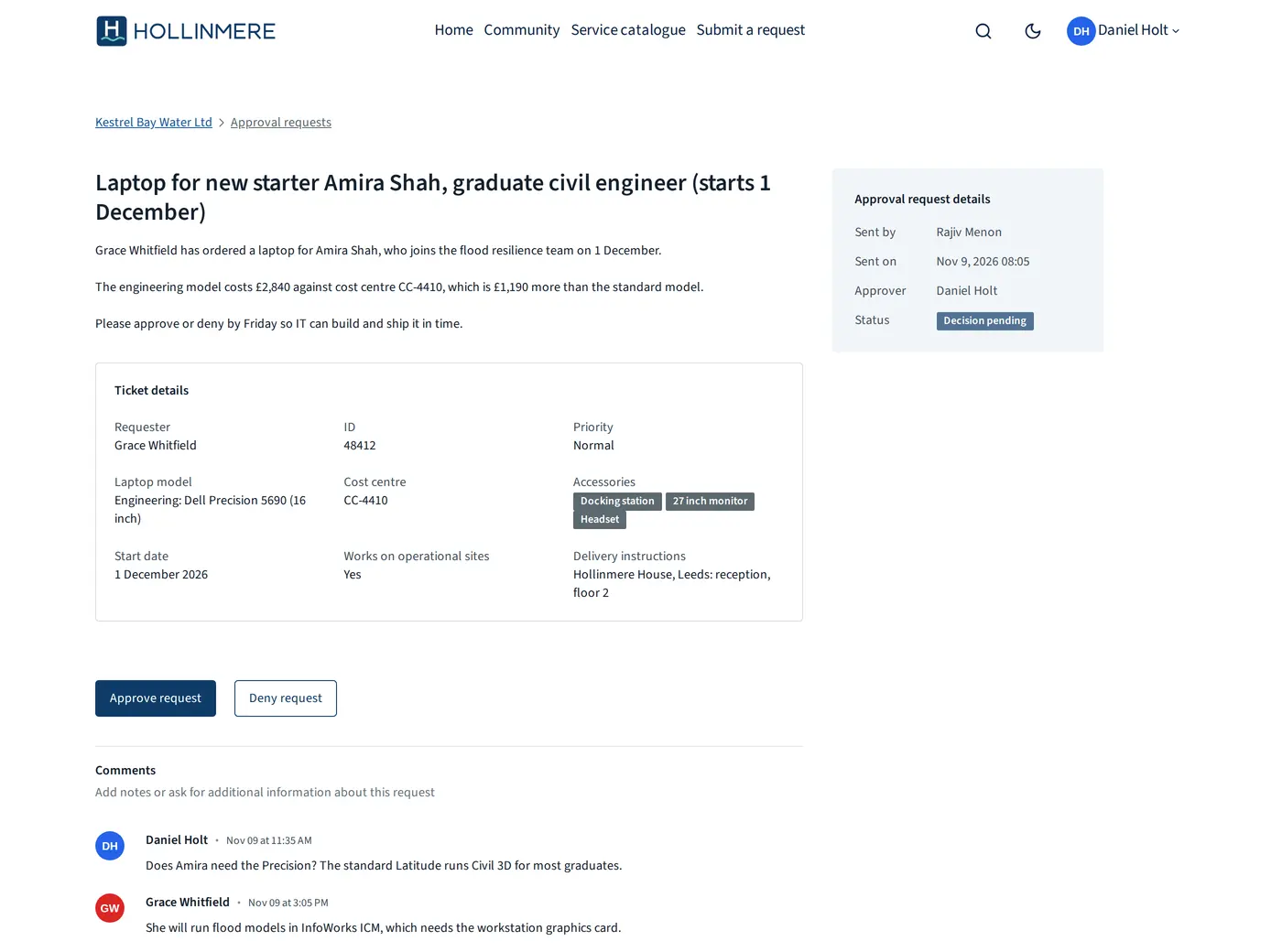
Fictional brand: Hollinmere (enterprise)
Zendesk says end-user approvers need the latest Copenhagen theme or a custom theme updated for approvals. Enso mounts the same approvals module as Copenhagen v4.54.0, so there is no setting to turn on and no code to change.
One page per request
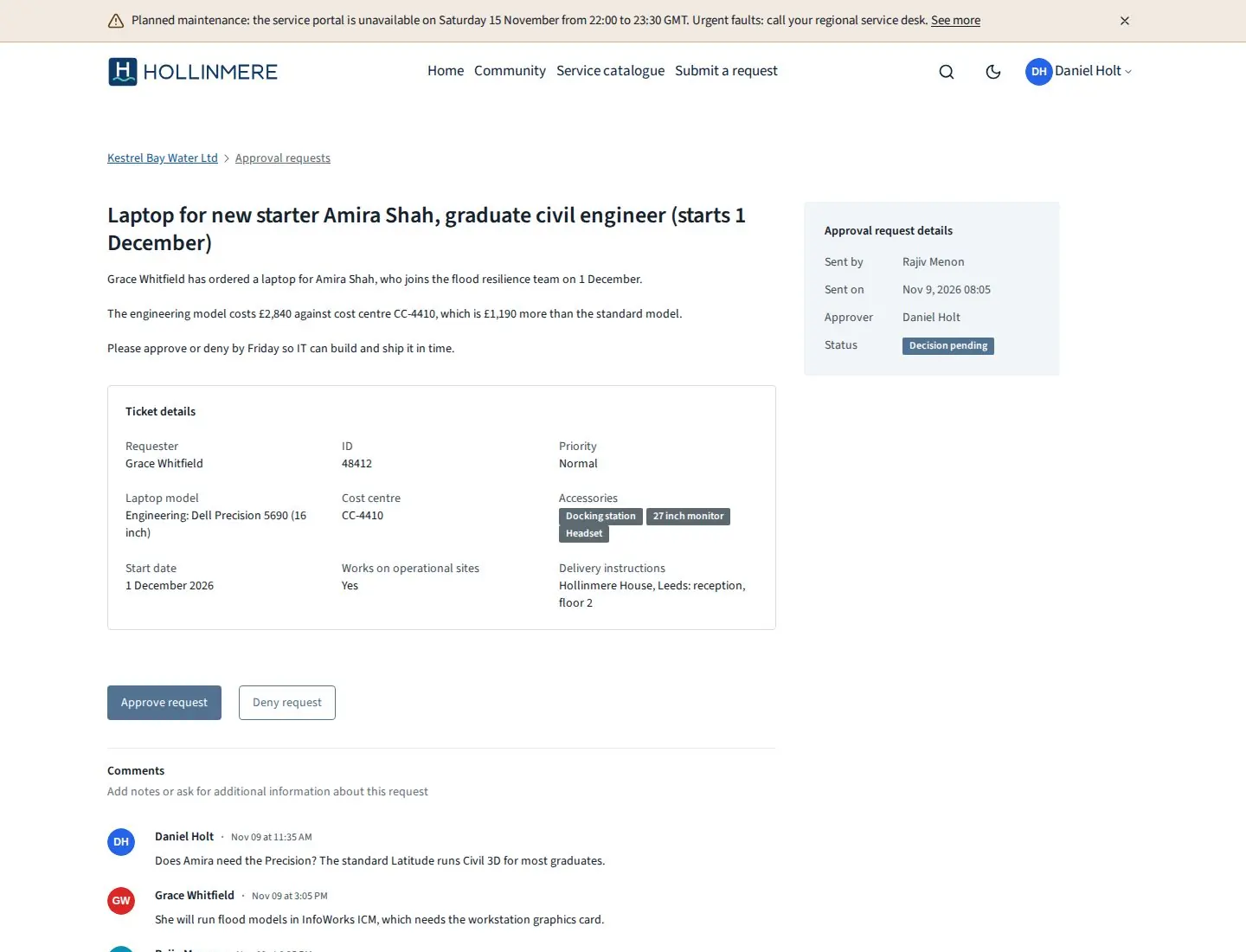
The approver sees the request summary, the ticket details, the approval status and the comments, then approves or denies the request. The module draws the page content. Enso supplies the header, breadcrumbs, footer and colours around it.
Every request in one list
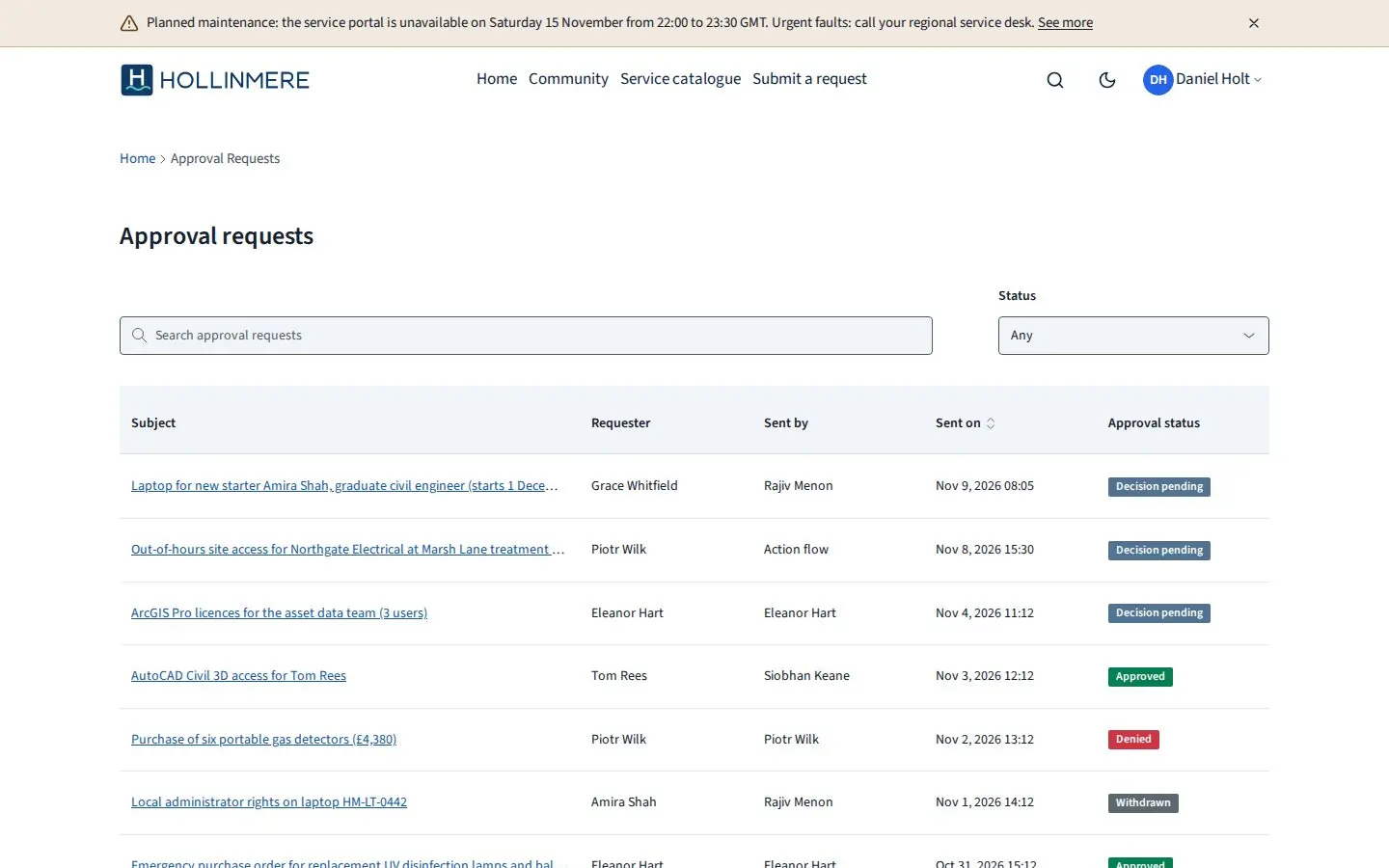
The list page shows each request with its requester, sender, date and approval status, with a search box and a status filter. Statuses read Decision pending, Approved, Denied or Withdrawn, as Zendesk writes them.
Light and dark mode
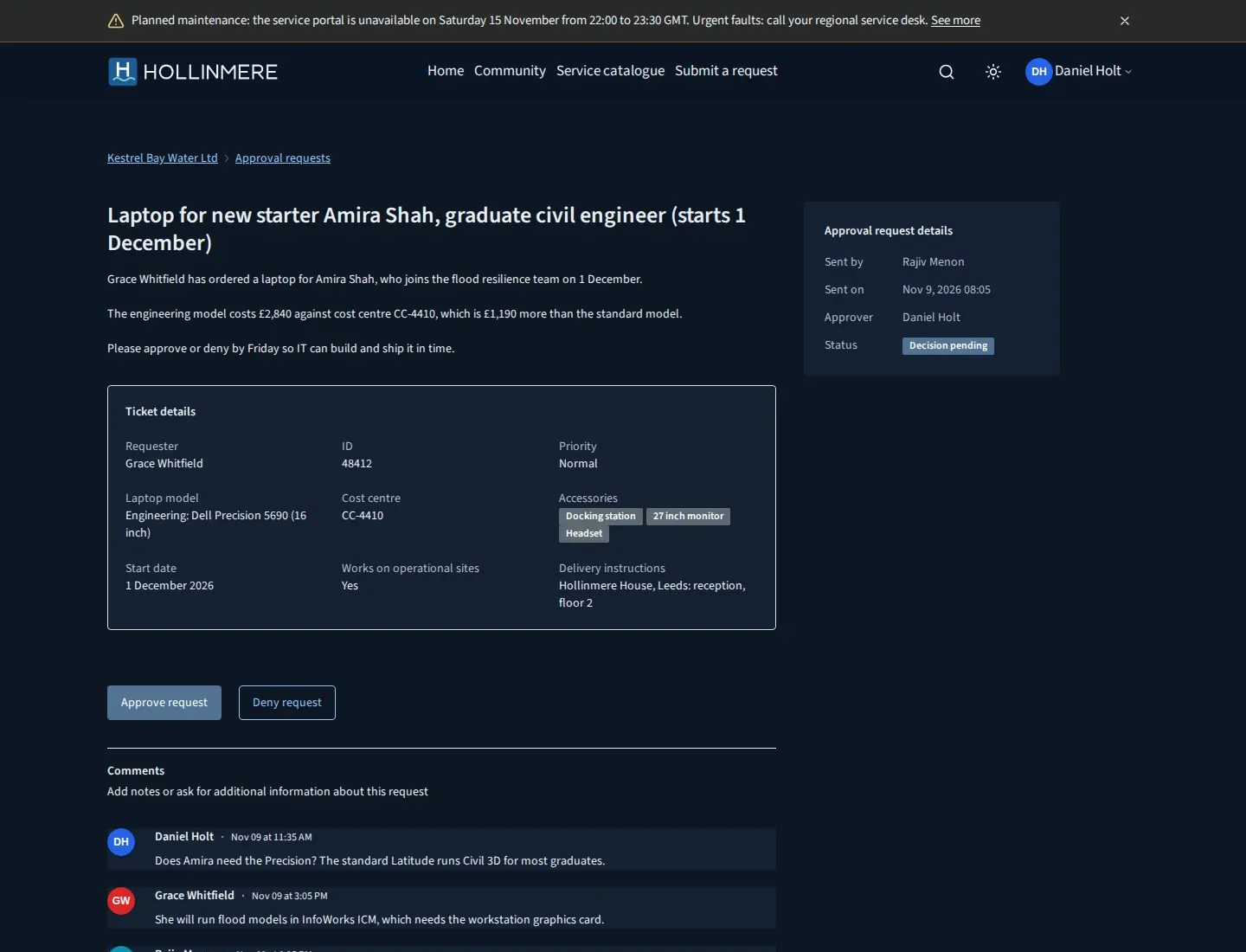
Enso maps its colour settings onto the colour keys the module reads: primary, button text, background, text and link. In dark mode the pages use your dark palette and switch with the visitor's toggle or device setting.
The Zendesk module, kept current
Both approval pages mount the approvals module from Copenhagen v4.54.0, unmodified. Enso ships its own copy, so a new Copenhagen release does not change your pages by itself. Each Enso release checks for a newer one and brings the module up to date as a Marketplace update: Zendesk shows "Update available" on the Themes page, and an admin installs it.
What your Zendesk account needs
- A Zendesk plan that includes approvals.
- End users set as approvers. They sign in to the help centre to review and decide.
- Guide Professional or above, as for every Marketplace theme (Zendesk shows this on every listing).
- No Enso setting. The approval pages are part of the theme.
Limits
- Tested against recorded API responses. Not yet tested on a live account with approvals.
- The module draws the page content. Enso styles it, but cannot change its markup or its wording.
- Agent approvers decide in the Agent Workspace. These pages are for end-user approvers.
Questions buyers ask
- Does Enso support Zendesk approvals without code?
- Yes. Both approval templates mount the Zendesk approvals module, unmodified, with the Enso header, footer and colours around it. There is no setting to turn on.
- What has been tested, and what has not?
- The approval pages are tested against recorded API responses, at 8 screen widths in light and dark mode. They have not yet been tested on a live account with approvals. If you run approvals on Enso and something looks wrong, email [email protected].
- Who uses these pages?
- End users who are approvers. They review approval requests and decide in the help centre. Agent approvers decide in the Agent Workspace.
- Which Zendesk plan do approvals need?
- Approvals need a Zendesk plan that includes them; Zendesk lists the plans in its approvals documentation. Any Marketplace theme needs Guide Professional or above (Zendesk shows this on every listing).
- Will it break when Zendesk updates the module?
- Enso ships its own copy of the module, so a new Copenhagen release does not change your pages by itself. Each Enso release checks for a newer Copenhagen release and brings the module up to date. Updates reach you through the Marketplace.
See it in a demo help centre
The Hollinmere demo help centre shows this brand and its settings. Approvals are not set up on the demo yet, so this page shows them as screenshots.
More Enso features
Free, with help when you need it
The theme is free under the Zendesk Marketplace standard licence. When you need changes beyond settings, or a faster answer, Kanso offers custom builds and paid support.
Install from the Zendesk Marketplace
Free, with a standard licence. Marketplace themes need Guide Professional or above (Zendesk shows this on every listing).
Marketplace listing coming soon
Try a demo help centre
Each demo help centre runs one fictional brand on Enso, set up through settings alone. Click through the pages before you install anything.
Open a demo help centreCustom builds
For changes beyond the 197 settings, Kanso builds a custom version at a fixed scope and price. A custom build stops getting Marketplace updates, so Kanso offers maintenance with it.
About custom buildsSupport
Free: the settings guide and FAQ (being written) and bug reports by email, answered on a best-effort basis. Paid: configuration help, with the response time and price in your quote.
Support optionsZendesk is a trademark of Zendesk, Inc. Kanso CX Ltd is an independent company, not part of Zendesk, Inc., and Zendesk does not provide or support Enso. Wrenfold, Velquin and Hollinmere are fictional brands made to show Enso; any resemblance to real companies is unintended.